1
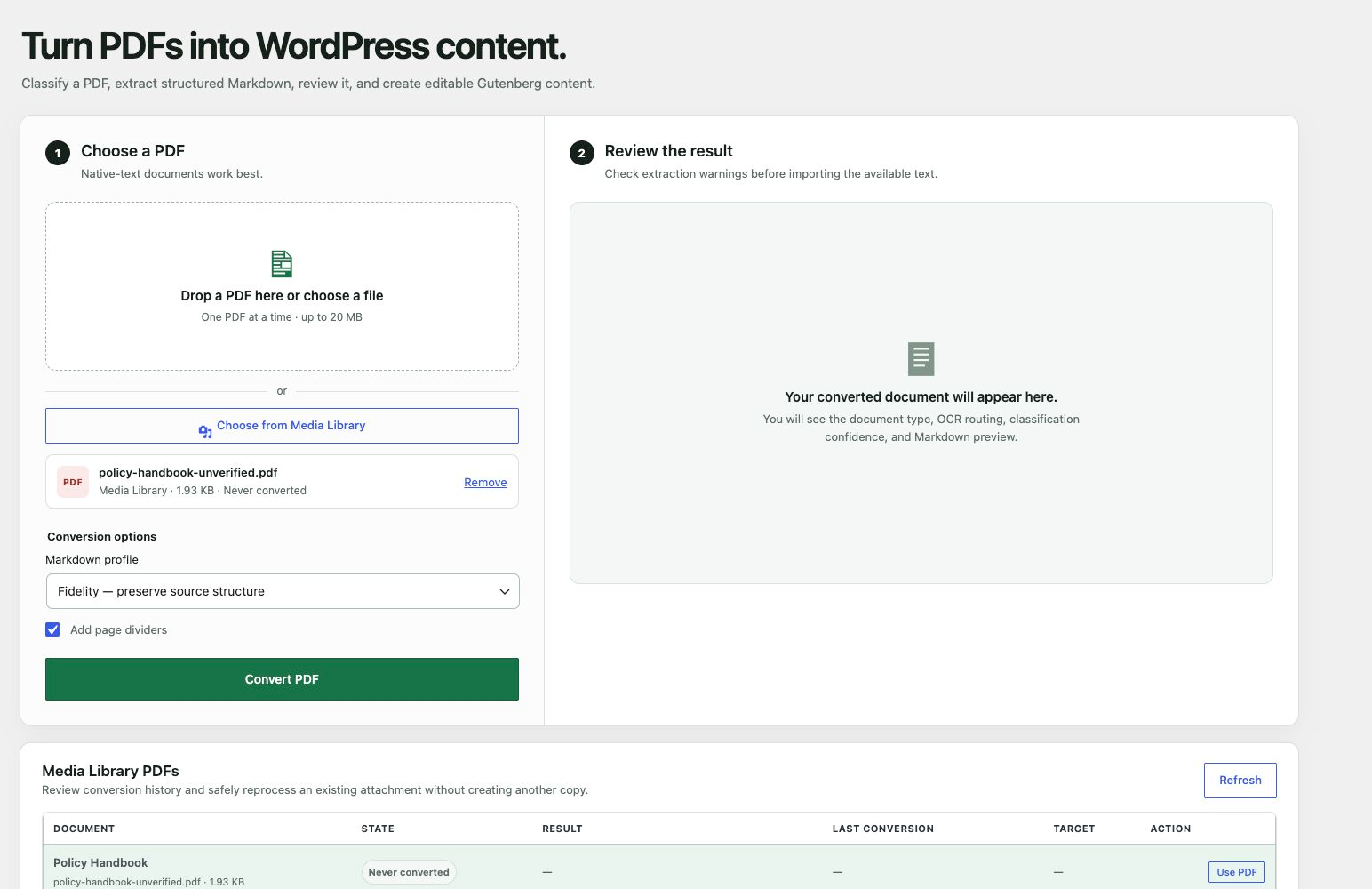
Choose one PDF
From your computer or Media Library.
PDFGutenberg
Convert native-text PDFs into structured Markdown and native Gutenberg blocks. Review the result, then create one draft—or split a document into a reversible set of drafts.

Browser-based extractionBundled WebAssembly inside wp-admin
No external conversion servicePDF bytes are not sent to a third party
Editorial controlNothing is written before your review
The problem
PufferPDF gives existing documents a reviewable path into WordPress—preserving useful structure while keeping every generated post editable in Gutenberg.
How it works
Choose, inspect, and plan. PufferPDF keeps the decision points visible before content reaches WordPress.
From your computer or Media Library.
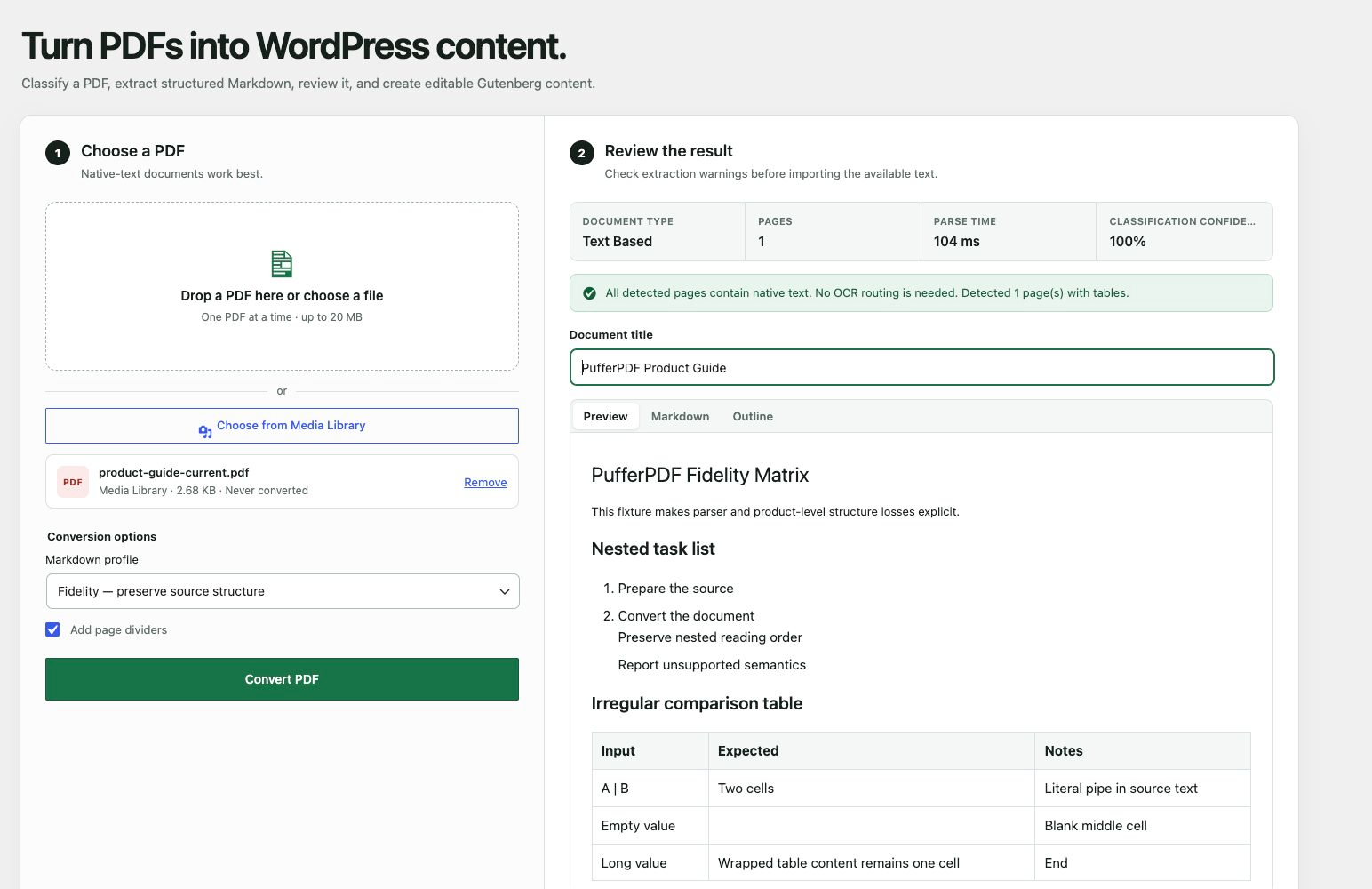
Check structure, warnings, and content.
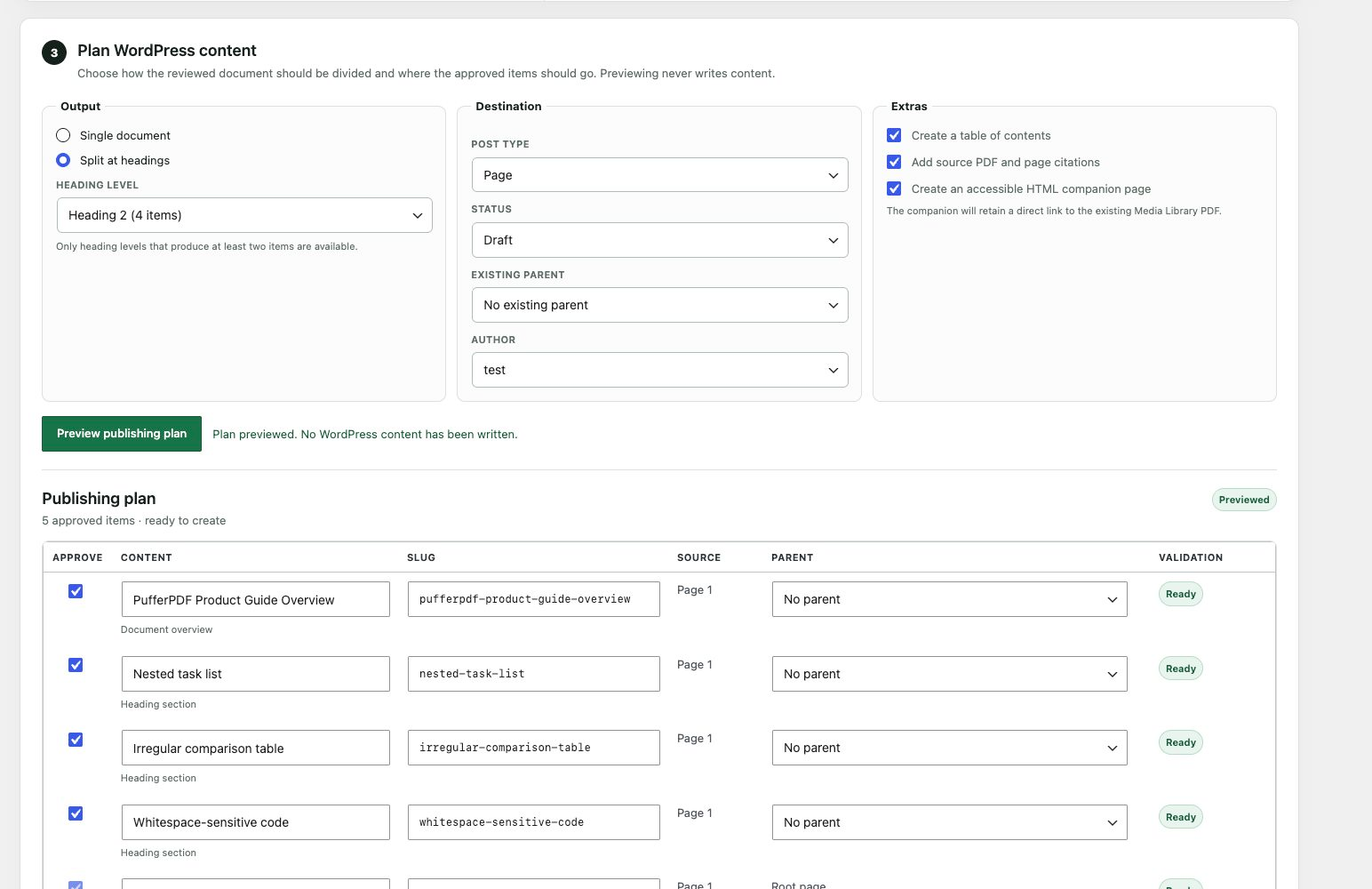
Preview destinations and heading splits.
Built for real documents
Not a black-box import. Every major step has a review surface, a source identity, and a safe stopping point.
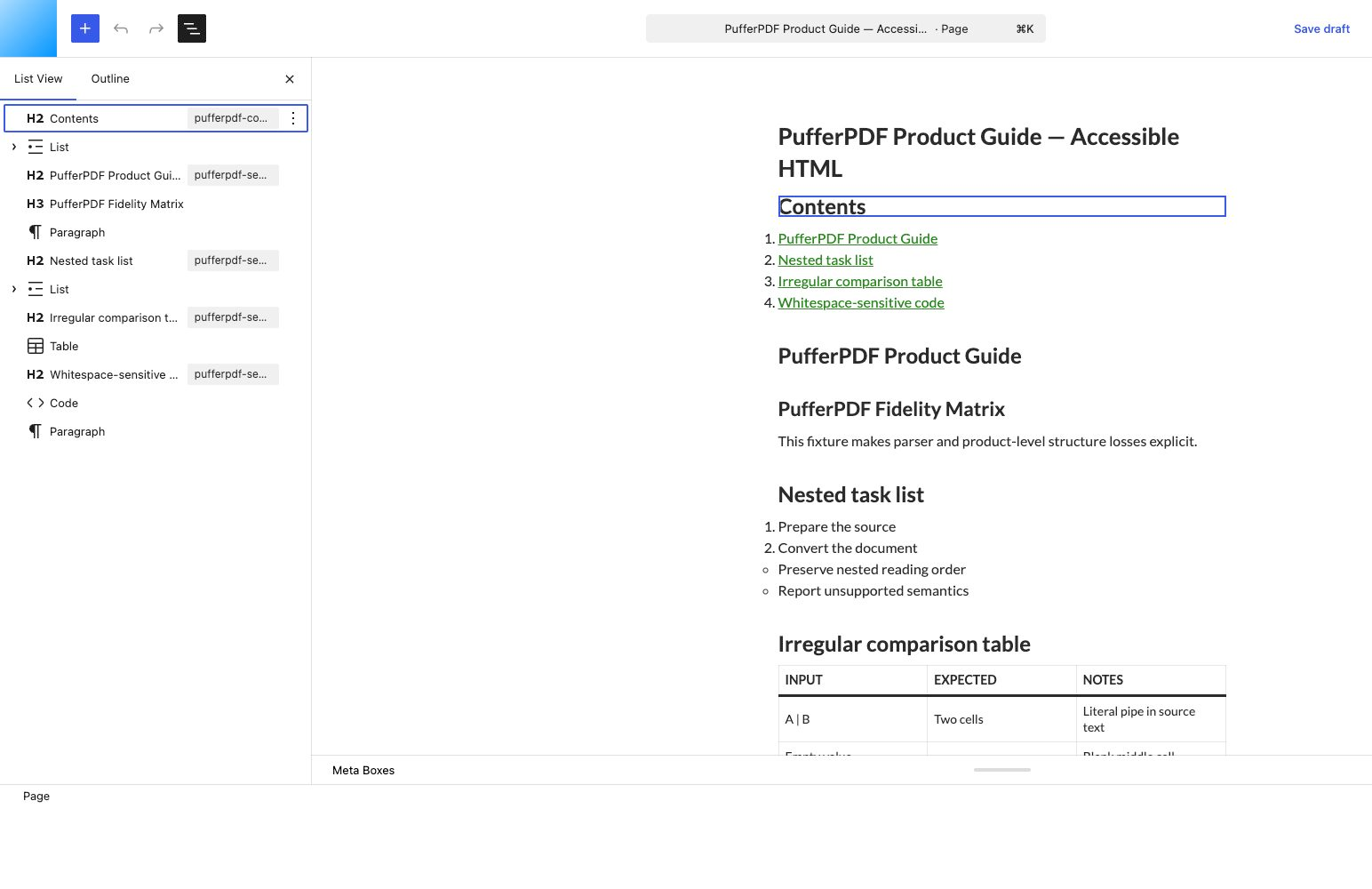
Reconstruct headings, paragraphs, lists, tables, code, links, and source-page boundaries as native WordPress blocks.
Inspect document type, page count, warnings, outline, rendered content, and Markdown before approving a draft.
Keep the PDF whole or preview a split by H1, H2, or H3 before any WordPress content is written.
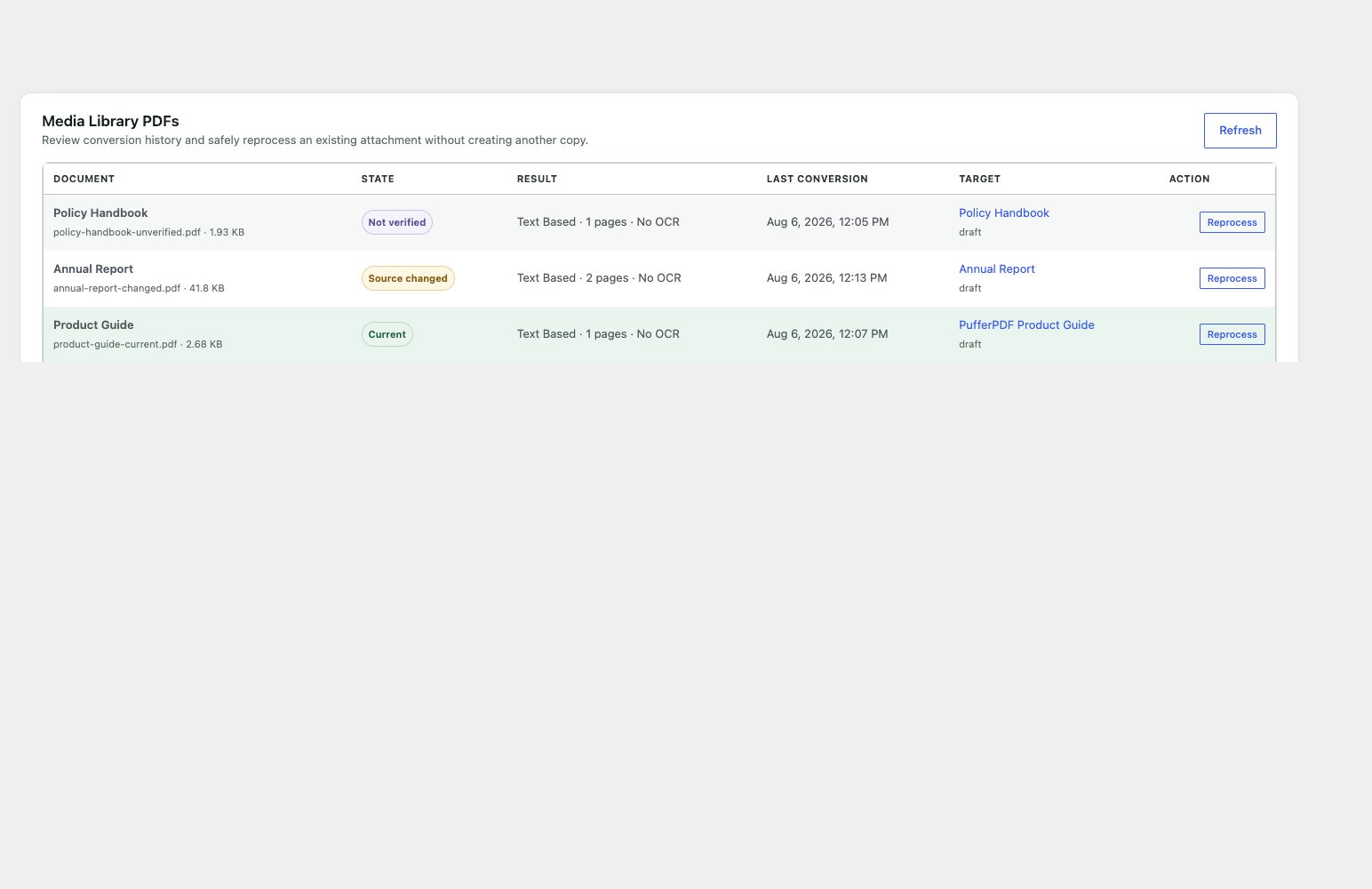
SHA-256 verification identifies current, changed, and unverified Media Library files while protecting editorial work.
For a Media Library PDF, add exact-page citations, a table of contents, and an optional editable HTML companion with a link to the original PDF.
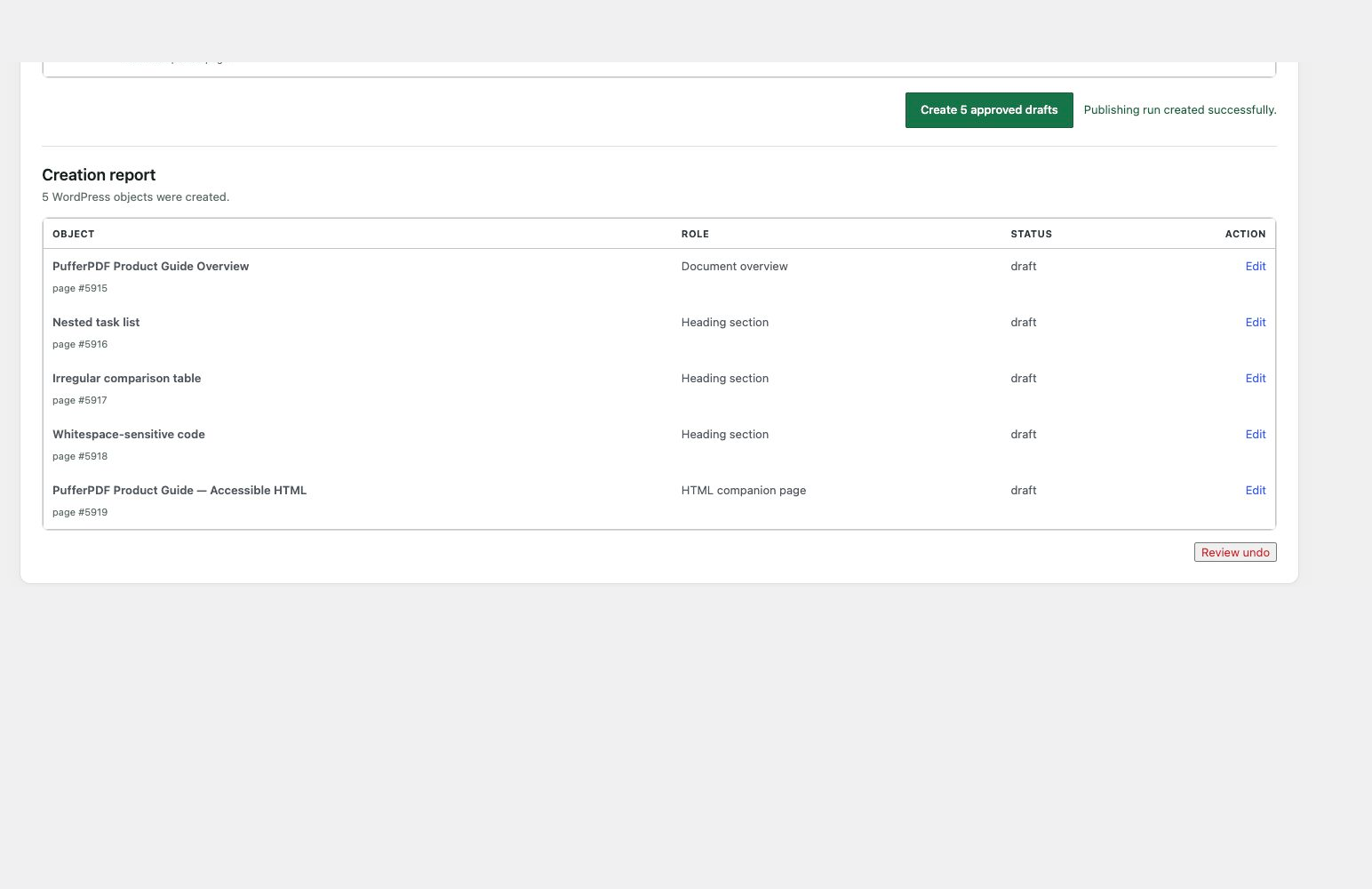
Create multi-item runs atomically, then review and move an unchanged run to Trash without deleting its source PDF.
Native output
Generated content opens as headings, paragraphs, lists, tables, links, code, and other native blocks—not an opaque embed or a screenshot of a page.
Stay in control
Source verification protects changed files and edited drafts. Atomic creation and guarded undo protect the rest of the workflow.
Current, changed, and unverified Media Library PDFs remain visibly distinct.
Review every created object and move an unchanged run to Trash together.
Privacy by architecture
Conversion runs in a browser Worker inside wp-admin. A PDF chosen from your computer is not uploaded by this workflow. A Media Library PDF is fetched from your existing WordPress storage without creating another copy.
Publishing-plan previews, creation, and reprocessing send reviewed blocks and bounded metadata to your own WordPress site—never the PDF bytes.
Read the privacy detailsConversion records store hashes and metadata—not PDF bytes.
Questions, answered
PufferPDF focuses on a dependable, reviewable workflow for native-text documents.
Native-text PDFs. PufferPDF detects scanned, image-based, mixed, and encoding-problem documents before import, so missing text is not mistaken for a complete conversion.
No. PufferPDF identifies pages that need OCR and blocks fully scanned documents rather than silently creating incomplete content.
No. Conversion runs in a browser Worker inside wp-admin. A PDF chosen from your computer is not uploaded by this workflow, and a Media Library PDF is fetched from the WordPress storage where it already resides.
Yes. A reviewed document can remain whole or be split by an exact H1, H2, or H3 rule. The complete plan, destinations, citations, and companion options are previewed before writing.
No. Reversible publishing creates draft or pending content. Final publishing remains an editorial action inside WordPress.
PufferPDF verifies Media Library sources with SHA-256 when possible and refuses unsafe reprocessing when the source is stale or the target draft has been edited.